Studio workflow
The iris photography editing workflow
A workflow is not a list of steps someone could follow. It is the order that makes two people in the same studio produce the same result on a Friday afternoon.
Short answer
The professional iris workflow runs capture, selection, upload, retouching, review, preparation, design, export and delivery. The technical middle section — boundary, distraction removal, structure, colour, cut-out, output size — is identical for every iris and is the part worth automating. Selection, design and final approval stay with the photographer, because they are judgements rather than rules.
Why a fixed order matters
Two studios can own the same equipment and deliver very different products. The difference is rarely skill; it is usually repeatability. Without a fixed order, the same file gets handled differently depending on who opens it and how busy the day is.
A fixed order also makes the bottleneck visible. In iris photography that bottleneck is almost never the shoot — it is the hour of editing per client that nobody scheduled.
The nine stages
1. Capture
Shoot several variants per eye with slightly different light positions. Lash position changes with every blink and reflection position changes with every millimetre of light movement, so variants cost seconds and save retouching hours.
Confirm sharpness on the screen while the client is still seated. That single habit removes most re-shoots.
2. Selection
Select on three criteria only: focus on the iris plane, an unclipped highlight, and how much of the limbus is visible. Anything else can be fixed later; these three cannot.
Selection is a judgement call and should stay with the photographer. It is also the cheapest place to prevent wasted work.
3. Upload and project setup
One project per session, not per file. Original, prepared iris and design belong together, and naming should reflect the session, the eye and the version rather than the camera's file numbering.
4. Retouching
Lashes, lid edges, small reflections and dust — handled before structure work, using material from the same radial zone. See iris retouching.
5. Review
A short check at 100 percent on three places: the outer edge, the pupil transition and the upper half of the iris. These three account for the large majority of problems found after delivery.
6. Preparation
Boundary, cut-out, structure, colour and output size. This is the section that is identical on every iris — and therefore the section that should not depend on who is at the desk.
7. Design
Background, size in frame, position, rotation, effects, and the arrangement when more than one iris is involved. This is where the studio's signature lives — see how to create iris art.
8. Export
One print file, one preview file, and an archived transparent version. The transparent version is what makes a later reorder in a different format a five-minute job instead of a re-edit.
9. Delivery
Send previews, not print files. Agree on the format and the revision rules in advance; open-ended revisions are the second-biggest hidden cost after retouching time.
What to automate and what to keep
| Stage | Automate? | Reason |
|---|---|---|
| Capture | No | Physical setup and client interaction |
| Selection | No | Judgement about what is worth delivering |
| Retouching | Partly | Detection is reliable, edge cases are not |
| Preparation | Yes | Identical rules on every iris |
| Review | Partly | Automatic checks plus a short visual pass |
| Design | No | This is the creative product |
| Export | Yes | Fixed sizes and formats |
| Delivery | Partly | Templates help, the conversation does not scale |
Practical tip
Automate the stage where two competent people would disagree about nothing. If there is a defensible argument for doing it differently, it is a creative decision and belongs to a person.
Batch work and studio throughput
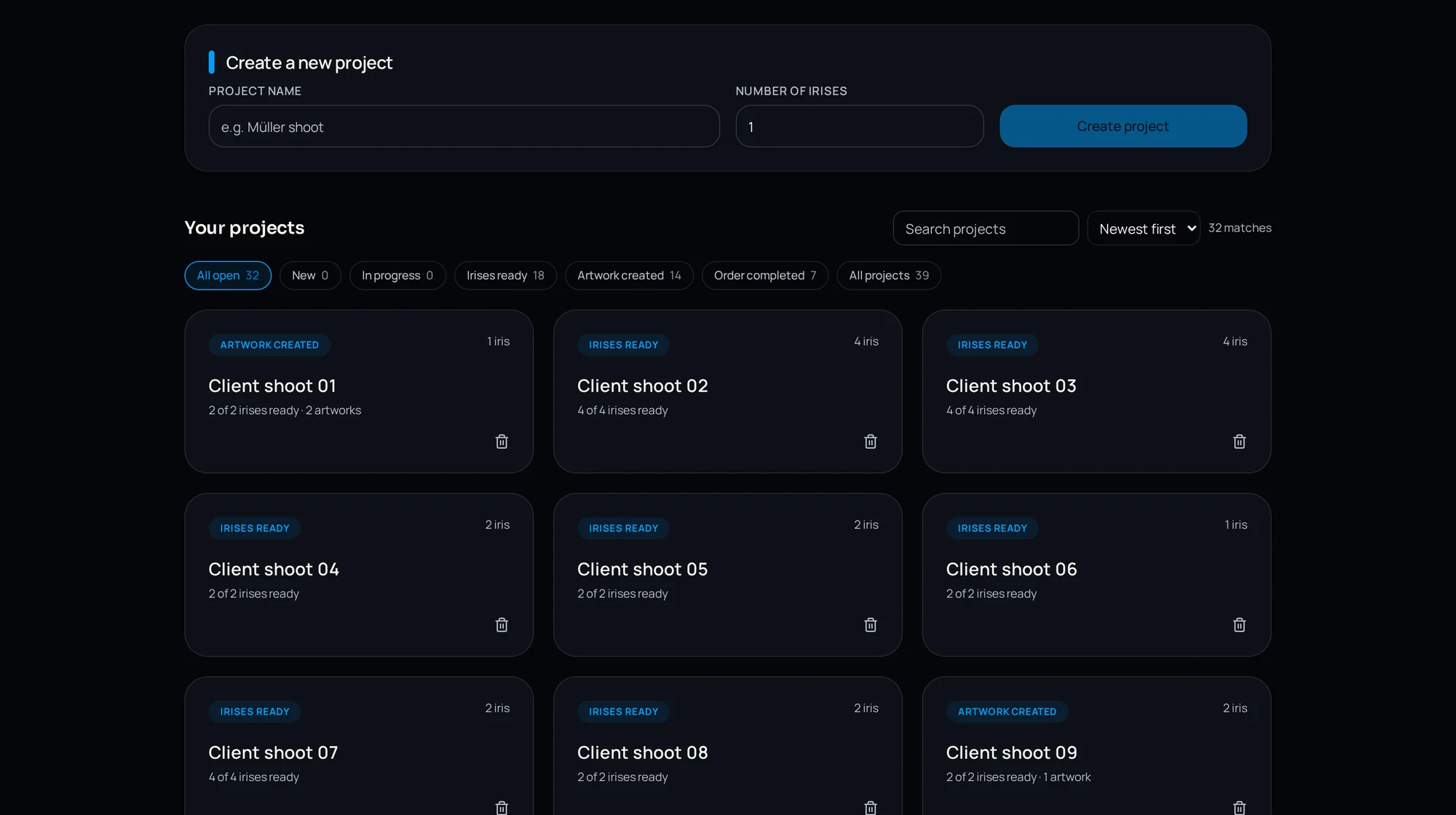
Throughput is set by how many irises can be in preparation at the same time without anyone watching them. A workflow where each file must be opened, processed and saved individually scales linearly with staff; a queued workflow does not.
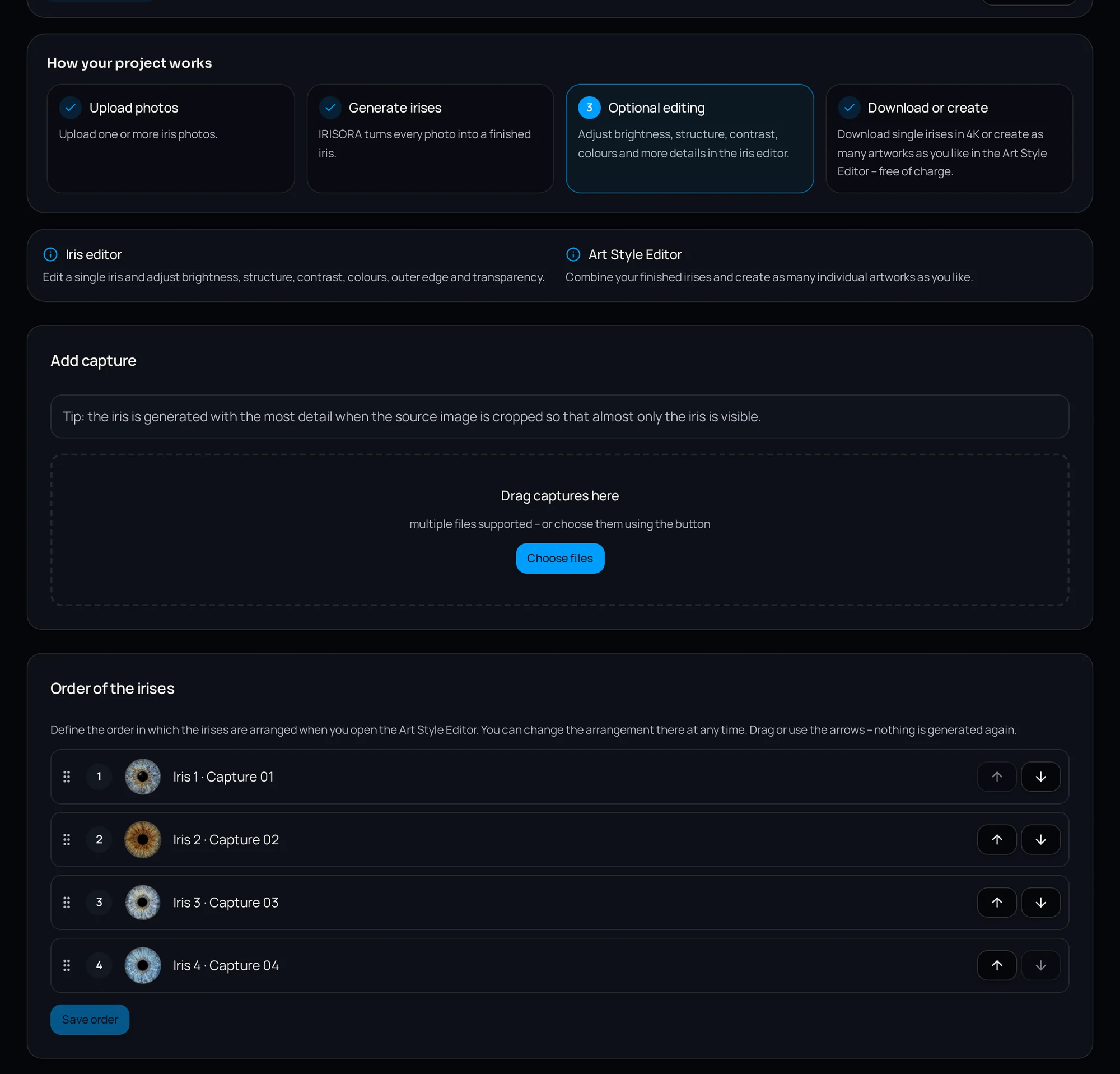
IRISORA processes studio jobs through a queue, so a session's captures run one after another in the background and results appear as they finish. Billing is per successful edit with no base fee, which means a quiet week costs nothing.
Consistency across staff
The cost of inconsistency shows up late: a client orders a second print a year later, and it does not match the first one on the wall.
- Shared presets for recurring design settings
- A written four-point check before approval
- One named person responsible for release
- Same edge falloff and same sharpening across all operators
- Version history rather than overwritten files
Where the workflow usually breaks
Three failure points recur in practice. Selection is skipped and weak captures enter editing. Review happens on a fit-to-screen preview, so edge problems pass unnoticed. And the transparent master is never archived, so every reorder becomes a fresh edit.
All three are cheap to fix and expensive to ignore. For studios building this out as a service, iris photography for photo studios covers the business side.
Quality check
Once a month, pick a delivered file at random and ask: could a colleague reproduce this exact result from what is in the project folder? If not, something lives only in someone's head.
Frequently asked questions
- How many captures per eye are sensible?
- Two to three variants with slightly different light positions. It costs seconds at the shoot and gives the editor a choice when a reflection sits badly.
- Does automation make studios look the same?
- Automation covers the technical preparation, which is identical everywhere anyway. The visual identity comes from the design stage, which stays manual.
- What should be archived after delivery?
- The selected original, the transparent prepared iris and the design file. The transparent version is the one that makes reorders in new formats straightforward.
Related reading
Try the workflow with five free edits
Set up a studio account, upload a session and see how much of the middle section runs without you. No base fee.
5 free iris edits included